1. A complete suite #
Plan, code, build, test, deliver.
The services #
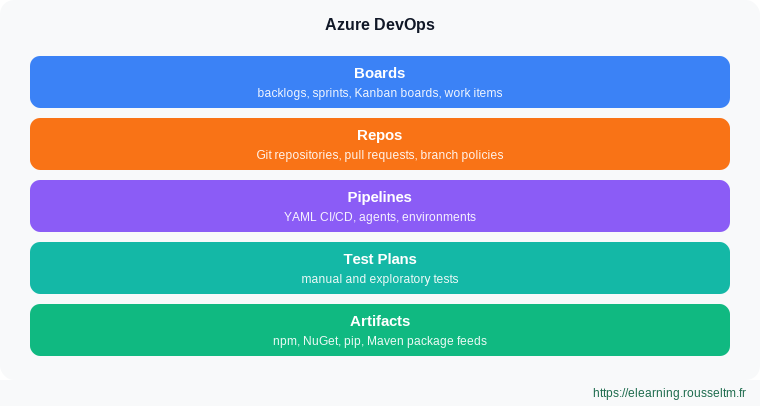
- An organization (
dev.azure.com/my-org) contains projects; each project enables the services it needs. - Azure DevOps Services is the SaaS; Azure DevOps Server is installed on premises (isolated environments, regulatory constraints).
- Services combine with other tools: Pipelines can build a GitHub repository, Boards can track GitHub commits.
2. Plans and alternatives #
What is free.
Free tier #
| Item | Free |
|---|---|
| Basic users | first 5; unlimited Stakeholders |
| Microsoft-hosted agents | 1 parallel job, 1,800 minutes per month, upon a free grant request for new organizations |
| Self-hosted agents | 1 parallel job, unlimited duration |
| Artifacts | 2 GiB of storage |
Good to know : A new organization must request the free hosted parallelism grant (Microsoft form, a few days): meanwhile, a self-hosted agent lets you run pipelines, which is what the labs do.
| Tool | Difference |
|---|---|
| GitHub Actions | action ecosystem, open source community; Microsoft focuses many new features there |
| GitLab CI | single platform with built-in registry and security |
Commands to know #
Commands to know
az extension add --name azure-devops: install the CLI extensionaz devops configure --defaults organization=https://dev.azure.com/<org> project=<projet>: default organization and projectaz devops project list -o table: list projectsaz pipelines list -o table: list pipelines
Sources #
Checked in November 2026: CI/CD platforms change every month, check versions and plans in the vendor's documentation.