1. Repository and policy #
Automating.
Configuration #
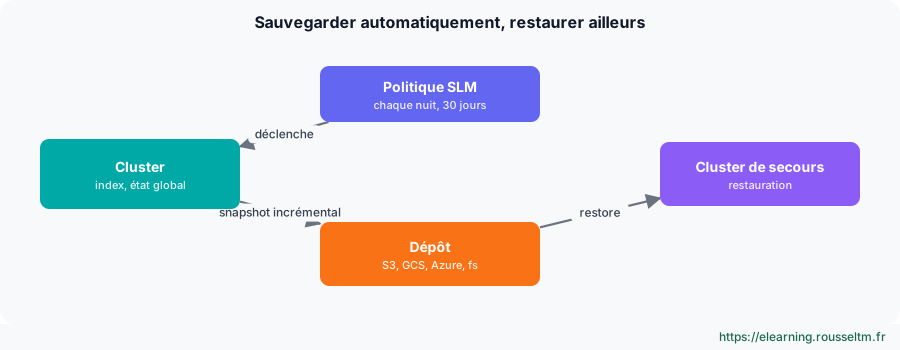
PUT _snapshot/backups
{ "type": "s3", "settings": { "bucket": "es-backups-prod", "base_path": "cluster-eu" } }

PUT _slm/policy/nightly
{
  "schedule": "0 30 1 * * ?",
  "name": "<nightly-{now/d}>",
  "repository": "backups",
  "config": { "indices": [ "*" ], "include_global_state": true },
  "retention": { "expire_after": "30d", "min_count": 5, "max_count": 50 }
}

POST _slm/policy/nightly/_execute          # tester tout de suite
GET _slm/stats
Good to know: Snapshots are incremental at the segment level: only new data is copied. Thefsrepository requires a shared file system declared inpath.repoon all nodes.
2. Restoring #
The only test that counts.
Restore #
GET _snapshot/backups/_all?verbose=false

POST _snapshot/backups/nightly-2026.10.20/_restore
{ "indices": "logs-nginx-*", "rename_pattern": "(.+)", "rename_replacement": "restored-$1",
  "include_global_state": false }
Common mistake: A backup that has never been restored is not a backup. Schedule a regular restore test on a separate cluster, and measure how long it takes: that is your real RTO.
Good practice: Keep snapshots in a different region or cloud account from the cluster, with deletion protection (storage object lock).
