1. Managing plugins #
Extending Logstash.
Commands #
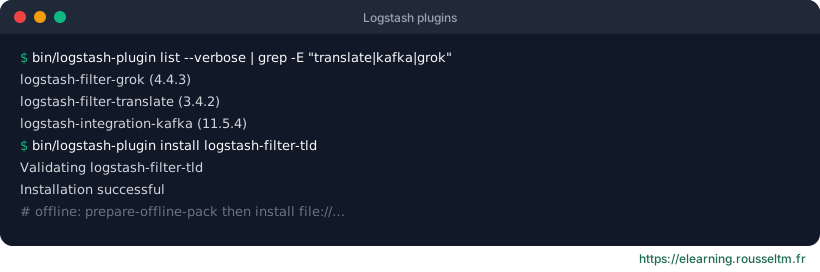
bin/logstash-plugin list --verbose            # plugins installés et versions
bin/logstash-plugin install logstash-filter-translate
bin/logstash-plugin update logstash-input-kafka
bin/logstash-plugin remove logstash-output-xyz

# Hors ligne : préparer un paquet sur une machine connectée, l'installer ailleurs
bin/logstash-plugin prepare-offline-pack logstash-filter-translate
bin/logstash-plugin install file:///tmp/logstash-offline-plugins-9.1.0.zip| Type | Examples |
|---|---|
| input | beats, kafka, jdbc, s3, http |
| filter | grok, dissect, mutate, translate, geoip |
| output | elasticsearch, s3, kafka, file |
| codec | json, multiline, plain |
Common mistake: Installing plugins by hand on each server: versions drift and a redeployment loses them. Build a Docker image or package bundling the required plugins.
2. Elastic Common Schema #
Common fields.
Why ECS #
ECS defines common field names: source.ip, host.name, http.response.status_code, log.level, event.category… When every source follows them, one query, dashboard or detection rule works across all data.
| Custom field | ECS field |
|---|---|
| clientip | source.ip |
| status | http.response.status_code |
| level | log.level |
| server | host.name |
| user | user.name |
filter {
  mutate {
    rename => {
      "clientip" => "[source][ip]"
      "status"   => "[http][response][status_code]"
      "level"    => "[log][level]"
    }
  }
}
ecs_compatibility mode #
Since version 8, Logstash plugins produce ECS-compatible fields by default (pipeline.ecs_compatibility: v8): the beats input, grok with ECS patterns, geoip… The disabled mode restores the old behaviour, useful to migrate legacy pipelines.
Good practice: Put your business fields outside ECS namespaces, under your own prefix (labels.*for simple keywords, ormyapp.*): they will not clash with a future ECS version.
