1. What is an SBOM for? #
Knowing what runs.
The principle #
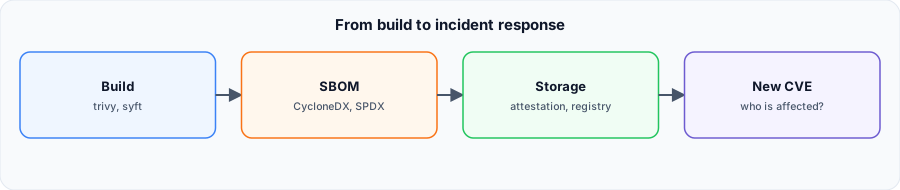
An SBOM (Software Bill of Materials) lists all components of an image, with versions and licenses. The day a flaw like Log4Shell is published, it answers “which images are affected?” in seconds, without rescanning everything. Recent regulations, such as the EU Cyber Resilience Act, also ask for it.
2. Generating and using an SBOM #
With Trivy.
Generate #
trivy image --format cyclonedx -o sbom.cdx.json monimage:1.0
trivy image --format spdx-json -o sbom.spdx.json monimage:1.0
On the official nginx image, Trivy produced a CycloneDX 1.7 SBOM with 154 components.
Rescan without rebuilding #
trivy sbom sbom.cdx.json
trivy sbom --severity CRITICAL sbom.cdx.json
Keep the SBOM of each deployed version: when a new CVE comes out, rescan the SBOMs rather than the images.
Formats and tools #
| Item | Role |
|---|---|
| CycloneDX | Security-oriented format (OWASP) |
| SPDX | Standardized format (ISO/IEC 5962), license-oriented |
| Syft | Anchore’s SBOM generator |
| docker buildx --sbom | SBOM attestation attached to the image at build |
Going further. Sign the image and its SBOM (Cosign, Notation) to prove their provenance: the basis of a trusted supply chain.
Sources #
SBOM generated with Trivy 0.76.2.
