Key requests
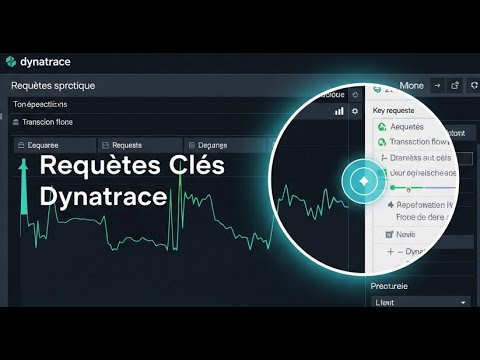 Watch the video
Concentrez votre observabilité sur ce qui compte le plus ! 🚀 Dans cette vidéo, nous allons explorer le concept des Requêtes Clés (Key Requests) dans Dynatrace. Découvrez comment identifier, configurer et surveiller les transactions les plus critiques de vos applications pour garantir une expérience utilisateur optimale et une détection rapide des problèmes impactant directement votre business.

Ce que vous allez apprendre dans cette vidéo 📚
Qu'est-ce qu'une Requête Clé et pourquoi est-ce important ?

Identifier et marquer des Requêtes Clés dans Dynatrace.

Configurer les seuils de performance et les alertes pour ces requêtes.

Utiliser les Requêtes Clés pour le reporting et les SLO.

Optimiser la visibilité sur les parcours utilisateurs critiques.

Pourquoi c'est incontournable pour vous ? 💡
Les Requêtes Clés vous permettent de focaliser votre attention sur les transactions les plus vitales de votre application. Cette vidéo vous permettra de :

Prioriser les problèmes qui ont le plus grand impact métier.

Réduire le temps de résolution des incidents critiques.

Améliorer la satisfaction client en garantissant la performance des fonctionnalités clés.

Aligner l'observabilité avec les objectifs business de votre organisation.

Prêt à maîtriser les Requêtes Clés avec Dynatrace ? C'est parti ! 🚀

👉 Pour aller plus loin et maîtriser Dynatrace, découvrez nos formations complètes : https://elearning.rousseltm.fr

N'oubliez pas de vous abonner à la chaîne pour ne manquer aucune de nos futures vidéos sur Dynatrace, l'observabilité et la performance applicative ! 🔔
Laissez un pouce bleu si cette vidéo vous a été utile et partagez-la avec vos collègues ! 👍
Course Glossary
The use of artificial intelligence and machine learning to automate and improve IT operations (e.g., anomaly detection, reducing alert noise).
An open source framework providing standards, APIs, and SDKs to collect and export observability data (traces, metrics, logs) in an agnostic way.
Recommended Articles
Understand the evolution of billing in Dynatrace: the difference between the ...
Discover why and how to configure Grafana Alloy so that it monitors itself, c...
Discover how to enable, secure, and use Grafana Alloy's built-in web interfac...
Discover the fundamental concepts of Grafana Alloy, the transition from the s...
Master Grafana Alloy's declarative syntax (River language), learn to manipula...
Learn how to configure Grafana Alloy to collect, transform, and forward metri...
Discover how to configure Grafana Alloy to read log files, journald, or netwo...
Dive into distributed trace processing. Learn how to ingest OTLP, Jaeger, or ...
Discover how to configure continuous profiling in your environments using Gra...
Learn how to manage large-scale Grafana Alloy deployments. Configure Clusteri...
Discover Grafana Assistant, the artificial intelligence integrated into Grafa...
Comparison between Grafana Alloy and Dynatrace ActiveGate. Understand the fun...